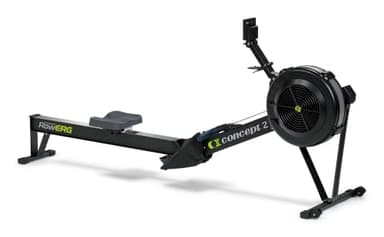
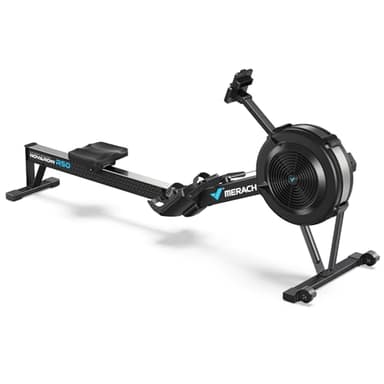
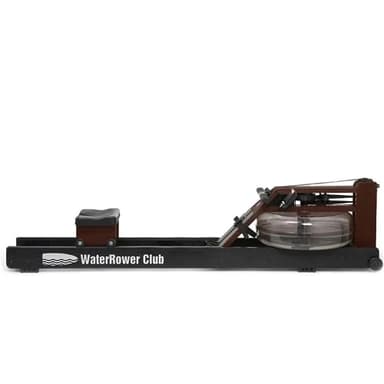
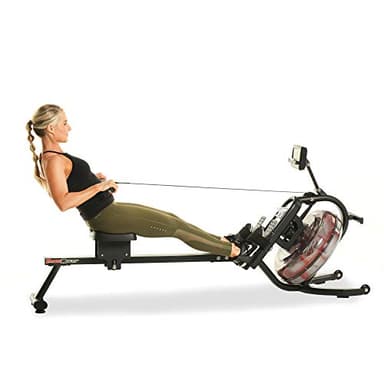
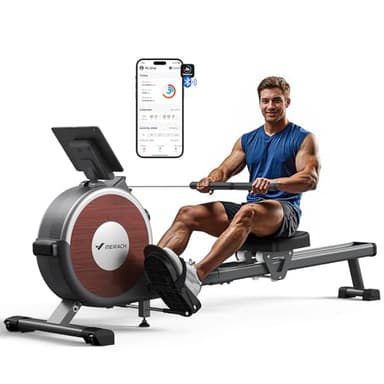
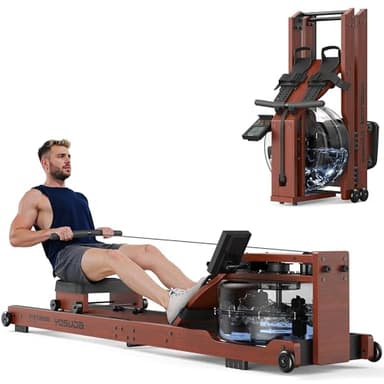
Three criteria decide a Bluetooth rower, and the first one does almost all the work. Here is what the makers publish about the six picks.
Published monitor description, resistance type, subscription requirement and mains-power requirement for the six picks on this page| Machine | Monitor as published | Resistance | App fee | Needs mains power |
|---|
| Concept2 RowErg | PM5, Bluetooth + ANT+ | air | None | No |
|---|
| MERACH NovaRow R50 Pro | MERACH competition monitor, Bluetooth | air | None | No |
|---|
| WaterRower Club | S4 BLE | water | None | No |
|---|
| Fitness Reality 3000WR | HIIT-capable LCD, Bluetooth | water | None | No |
|---|
| MERACH Q1S | LCD + MERACH app via Bluetooth | magnetic | None | No |
|---|
| YOSUDA Foldable Wooden Water Rower | Dedicated Bluetooth monitor | water | None | No |
|---|
1. Open signal or private link. Read the monitor column above as a sentence rather than a feature. “PM5, Bluetooth + ANT+” describes a monitor with two radios that a great deal of third-party software already speaks to; Concept2 also ships its own free app, so you get both routes and neither is a condition of the other. “S4 BLE” is WaterRower naming the generation of its self-contained monitor, and the listing states it pairs with phone apps out of the box. By contrast, “LCD + MERACH app via Bluetooth” is a description of a private link: the radio is there to connect the machine to one app. That app is free and perfectly pleasant to use. It is also the only thing on the other end of the connection.
2. Whether the machine works with the radio switched off. This is the test that separates a Bluetooth rower from a connected rower. Every machine on this page has a working monitor of its own: unpair your phone, leave the app uninstalled, and you still get stroke rate, distance, time and a count of what you did. That is not true of the screen-led machines, where the hardware is deliberately inert without a membership, and it is the entire reason this is a separate page. None of the six picks here carries a monthly fee of any kind — a point we labor on the no-subscription roundup because it is the single largest cost difference in the category.
3. What you actually want the data for. Be honest about this before you pay for it, because it changes the answer. If you want to train by heart rate, the relevant question is whether the monitor will take a signal from a chest strap and show it to you, and the PM5 is the strongest published answer on this page — heart-rate training goes into what to do with the number once you have it. If you want a history of sessions on your phone, almost any of these will do it, and the brand app is fine. If you want to export your rowing into something else — a training log, a coach’s spreadsheet, a third-party racing platform — you want the open-signal kind and there is really only one to buy.
What Bluetooth does not fix
It does not make a budget monitor accurate. The radio transmits whatever the console calculated, and a cheap console calculating calories from stroke count is still a cheap console after the number arrives on your phone. We go through which readouts on a rowing monitor are measured and which are inferred in how to read a monitor, and the short version is that distance and stroke rate are trustworthy, calories almost never are.
It does not change the stroke either. A Bluetooth magnetic rower has the same resistance ceiling as a non-Bluetooth magnetic rower — set the level, and pulling harder moves the handle faster rather than making the machine push back harder. If you have been shopping on connectivity and have not yet settled the mechanism, settle that first: air vs magnetic is the decision that actually determines how the machine feels, and no amount of app does anything about it.
And it does not survive abandonment. This is the uncomfortable part of recommending a private-link machine, and we are not going to leave it out: a house app is a piece of software maintained for exactly as long as the company finds it worth maintaining. The machine keeps rowing — all six here work standalone, which is why they qualified — but the app half of the purchase has a shelf life nobody publishes. Our list of rowing machine apps covers which third-party options read which signals, and it is worth a look before you buy on the strength of a brand app you have not used.
How to choose in one paragraph
If you want your rowing data to be portable, buy the RowErg and stop reading — two radios, a free first-party app, and two decades of third-party software built around the same monitor. If you want that openness in a quieter machine that lives in a room you also live in, the WaterRower Club pairs with phone apps out of the box and stands on end when you are done. If you want an air rower for considerably less and are content inside one brand’s app, the MERACH R50 Pro is the most machine per dollar here. If you are buying for interval work on a budget, the Fitness Reality 3000WR has a HIIT-capable console and six settable water levels, with the honest caveat that its app story is thin. And if you are spending under two hundred dollars, the MERACH Q1S is the one that publishes its capacity and height limits, which at that price is rarer than Bluetooth is.
Two related pages if this one has not settled it: the wooden-and-water angle is covered in best water rowing machines, and if your budget runs higher than the picks here, the whole category opens up at rowing machines under $2,000 — where two of the six picks replace the phone with a built-in screen and a monthly bill.